
About Us
Being a customer’s centric company we are offering Development and Maintenance Service.
ConsultationContact Info
- Sr No 60 Gala No 1, Astavinayakpada, Mourya Naka, Sativali,
Vasai East, Vasai Virar, Palghar, Maharashtra,India 401208 - 797-2552-797
- info@fixupwala.in
- Week Days: 09.00 to 18.00 Sunday: Closed
THE BEST HOME OFFICE COMPUTER SETUP FOR YOUR SPACE AND STYLE
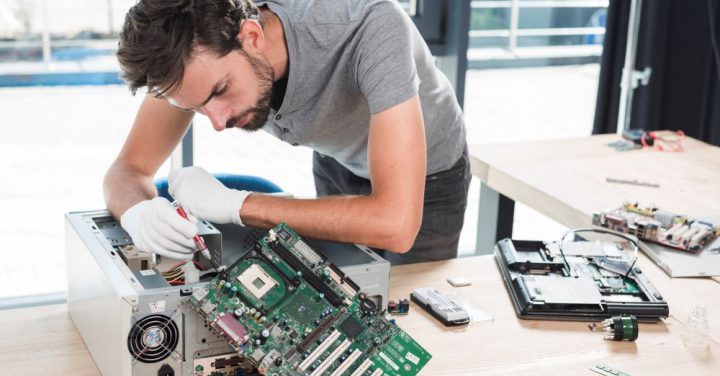
THE BEST HOME OFFICE COMPUTER SETUP FOR YOUR SPACE AND STYLE
HOME OFFICE SETUP CHECKLIST
Are dual monitors and Bluetooth headsets necessary? Are standing desks worth splurging for? That’s up to you, but below we’ve listed some must-haves for your work from home space.
- Laptop or computer with wireless mouse and keyboard
- Computer desk or sturdy laptop stand
- Ergonomic office chair with lumbar support
- Secure Wi-Fi with router and network adapter
- Nearby outlet for charger(s)
- Storage space for print files
- Hard drive or SSD for digital files
HOW TO SET UP A REMOTE WORK SPACE
Aesthetics and functionality start to come together in the following steps.
1. CONSIDER WORK AND MONITOR HEIGHT.
The average work surface is 29” or 30” high, comfortable for someone of average height. If you have a shorter or longer frame, you may want to consider finding an adjustable desk. The ideal height is when your forearms lay parallel to the ground, while your wrist is not bending when you type.
2. FIND ADEQUATE LIGHTING.
The proper lighting can have a tremendous impact on your workspace. Position your desk where you’ll have sufficient indirect lighting through either a desk lamp or natural light from a nearby window. Make sure your desk setup is not in a direct field of view to avoid glares and reflections on your computer screen.
3. SET UP YOUR INTERNET CONNECTION FOR OPTIMAL PERFORMANCE.
Next, you’ll want to search for a reputable internet provider and determine what service you’ll need. Consider how many people will be using your internet when deciding what speed to go with. If you use video conferencing in your job, you should invest in an Ethernet cable for greater bandwidth.
4. CREATE A SPACE YOU ACTUALLY WANT TO WORK IN.
One of the most significant advantages of working at home is that you don’t have to follow all the rules that come with a traditional office space. You can get as creative as you want, but ultimately, your space should make your workdays comfortable and productive, which will look different for everyone.
Leave Comment